
How to Share Your Travels on Instagram: Map Videos, Reels and Stories
Your map filling in, one trip in 20 seconds, or your whole year. Go Everywhere Together turns the trips on your map into 9:16 videos and Story images, ready to post.

The quickest way to share your travels on Instagram is a short video of your own travel map. On Go Everywhere Together, open your map, press Make a video, and choose your map filling in, a single trip, or your year in travel. A minute later you have a 9:16 video for Reels, Stories and TikTok, built from trips you've already added. Post it, add a sound, and put your map link on a Link sticker (we copy it for you).
We used to post the same way everyone does: twenty photos and a caption. Nobody could tell where we'd actually been, or what the trip added. So we built a video maker into our map. It takes the trips and photos already on your map and turns them into something made for Instagram, and you never open an editing app.
We're Todd and Hannah. We make travel maps, Touch-to-Travel pins and the online map behind them. Every video and screenshot here comes from our own map, which is at 5 countries so far. Plenty of room left.
The short version
- Open your map and press Make a video. You'll also find it on every trip page and on your states map.
- Choose a video: your map filling in, one trip, your year in travel, or your map next to a friend's.
- Press Make my video. It records in real time, so 8 to 20 seconds.
- Press Share or Download video. Your map link gets copied at the same time.
- In Instagram or TikTok, add a sound. On a Story, add a Link sticker and paste.
The four map videos
Each one is 1080 × 1920 (9:16), the size Reels, Stories, TikTok and WhatsApp Status all use. They're made only from your public trips, so anything you've marked private stays out of them.
Your map filling in
The countries you've visited light up one at a time, in the order you went, while the count and the percentage of the world tick up underneath. If you're looking for a "countries I've visited" Reel, this is it. It works for your US states map too.
When you mark a new country or state and pass a milestone (10 countries, 25 states and so on), your map offers to make this video with the milestone written into it.
One trip (map + photos)
The trip's place drops onto the map, the map zooms in, and then the photos play. You can pick which photos to use, or leave it and we'll take the cover photo and five others. There's a Make a video button on each trip's own page, right beside Share.
This is the one to post the day you get home, while people are still asking how it went.
Your year in travel
Trips taken, countries visited, which countries were new, one photo from each trip, and the map with the year's new countries picked out. Once a year has public trips, your map gets a button for it (ours says Our 2026 in travel). Save it for late December. For more ideas, see our travel year in review guide.
Together with a friend
Your map and a friend's side by side, with the countries you've both been to. You can pick anyone whose map you follow. Good for travel buddies, and for couples who each kept their own map before they met.
How to make a video, step by step
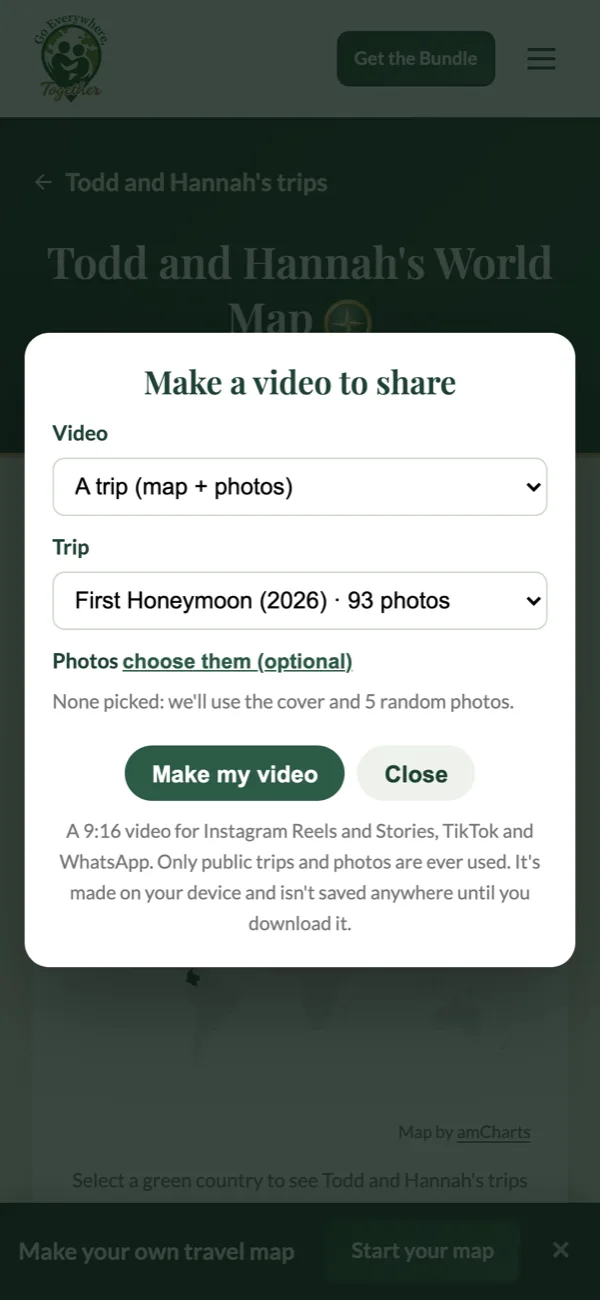
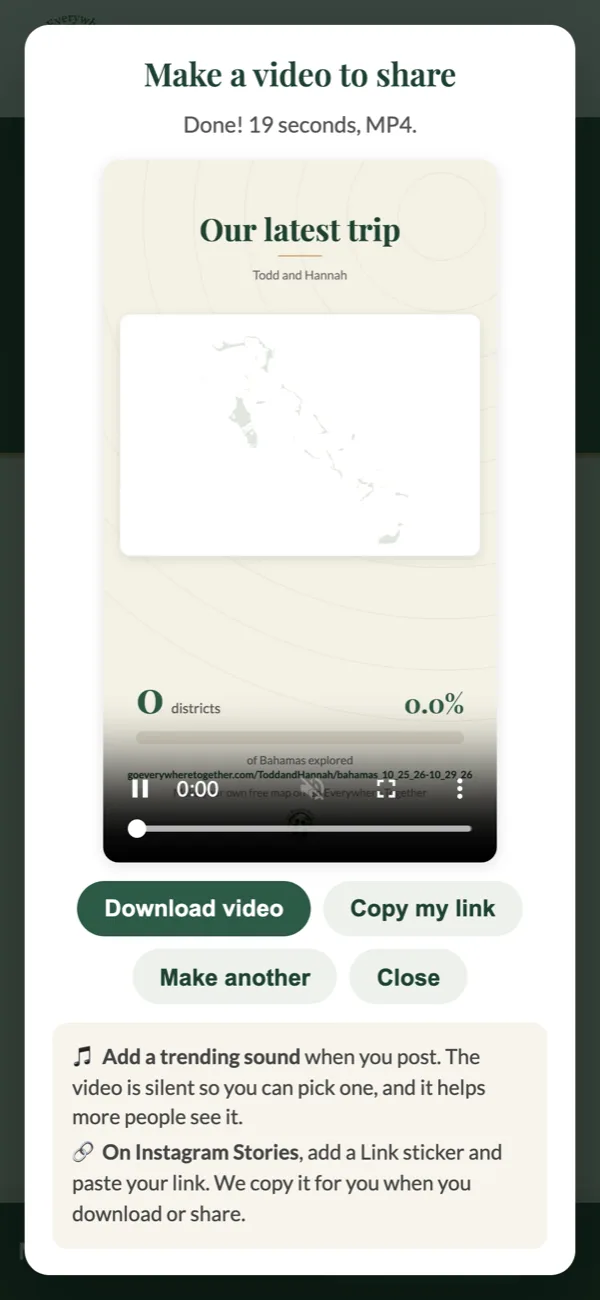
- Sign in and open your map. On a phone, Make a video is the gold button near the top.
- Choose the video from the list. For a trip, choose the trip (and the photos, if you want). For a year, choose the year.
- Press Make my video and leave the page open while it records. You'll see it play as it's made.
- On a phone, Share sends it straight to Instagram, TikTok or Messages. Download video saves it instead. Both copy your map link.
The video is put together on your own phone or computer. We don't upload it or keep a copy, so make as many versions as you like.
Safari and Chrome save it as an MP4, which is what Instagram expects. If you end up with a WebM file, your browser can't record MP4; open your map in Safari or Chrome and make it again.
Posting it on Instagram and TikTok
Add the sound in the app
We leave the videos silent on purpose. Instagram and TikTok tend to show posts with a sound from their own library to more people, trending sounds especially, and you avoid the copyright problems that come with a song baked into the file.
On a Story, use a Link sticker
A Story is where Instagram lets you add a link people can actually tap. After you add the video, tap the sticker icon, choose Link and paste. Your map link is already on your clipboard.
On a Reel or TikTok, use your bio
Links in Reel and TikTok captions don't work, so put your map link in your bio and mention it in the caption. Your map's address is also printed at the bottom of every video.
The link earns you credit
The link we copy has your referral code on the end. If someone follows it and starts their own map, the referral is yours.
A Story image of your map
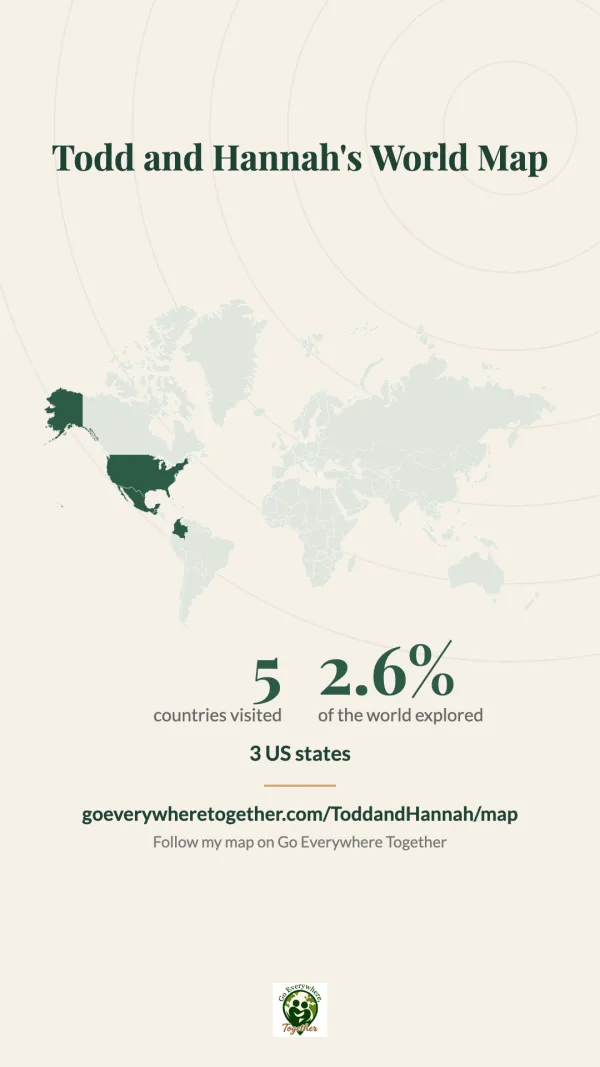
Sometimes a still image is all you need. Under your map, in the Share section, Story Image makes a 1080 × 1920 picture of your map with your country count, your percentage of the world and your link. Square Image makes a 1200 × 1200 version for the feed. On a phone you can send the square one straight to an app.
Sharing one trip with family
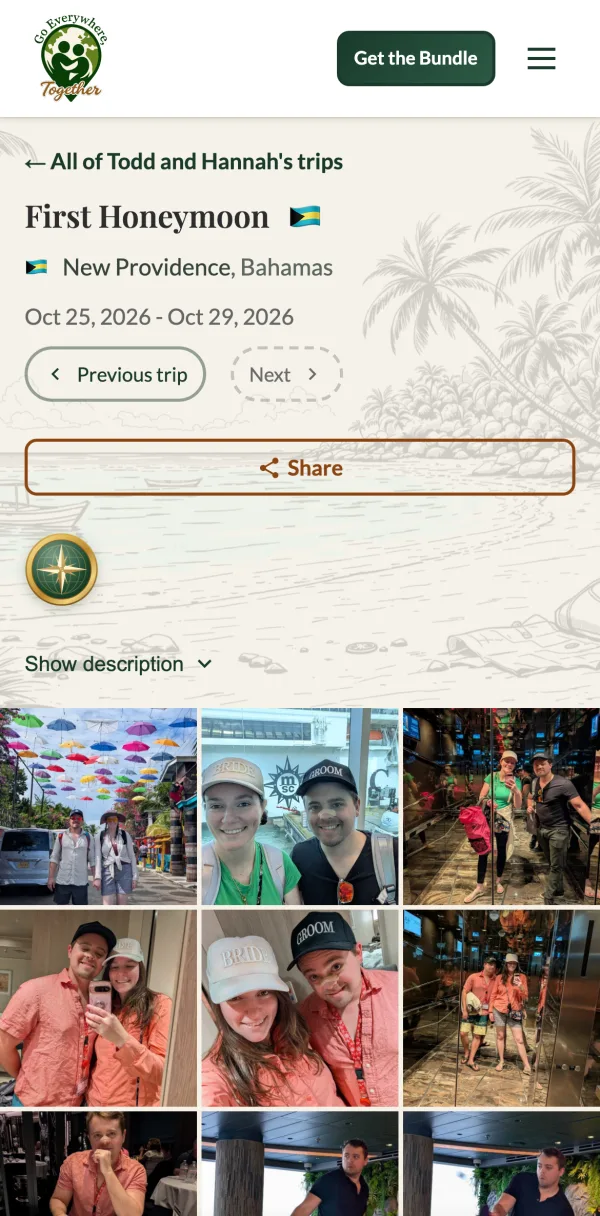
Half the people who want to see your photos aren't on Instagram. Every trip on your map has its own page, with the photos, the videos and the song from that week, and a Share button at the top. Text the link and it shows a preview with one of the trip's photos. Nobody needs an account to open a public trip.
Want family to add their photos too? Invite them to your map. Our guide to sharing your travel map explains who can see, add and edit.
What to post, and when
- The day you get home: the trip video.
- A new milestone: 10 countries, 25 states, your first new continent. Post the map filling in.
- Late December: your year in travel.
- A year after a big trip: the honeymoon, the proposal, the one where everything went wrong.
- When you can't decide where to go next: post the map and ask your followers to pick.
- With your travel buddy: both maps, and the places you've been together.
Looking for something to do with the rest of your photos? See what to do with travel photos.
Quick answers
How do I make a video of the countries I've visited?
Add your countries to a free map on Go Everywhere Together, then press Make a video and choose My map filling in. It fills in each country in the order you went, with your count and percentage of the world. Making videos needs a Globetrotter Club membership ($119/yr).
What size is an Instagram Reel or Story?
1080 × 1920 pixels, a 9:16 vertical frame. Our map videos and Story images are made at exactly that size, so nothing gets cropped.
Do I need a membership?
For the videos and the Story and Square images, yes: they're part of the Globetrotter Club, along with trip photo galleries. Sharing a link to your map or a public trip is free.
Will my private trips show up in a video?
No. Videos only use public trips and photos you've approved, so a private trip's name, dates and photos never appear. The countries on your map are public either way, because anyone can see them on your map page.
Can I add music?
Yes, when you post. The video is silent so you can pick any sound from Instagram's or TikTok's library.
Is my video saved anywhere?
No. It's made on your device and only exists once you download or share it. You can make it again any time, and it will include your newest trips.
Just the pins, as low as $27
Programmable travel pins
6 pins was $34 $2712 pins was $49 $45
Holiday sale through Cyber Monday
Push them into the map, cork board or poster you already have. Tap any pin with a phone to open that trip, no app needed.
Shop the pinsThe full package: the holiday gift
The Starter Bundle
From $199
Black Friday: 12 bonus pins included ($45 value), through November 30.
Every trip they've taken, on their wall: a world or US map, 12 pins and a year of the Globetrotter Club, so a tap on any pin brings back that trip's photos, videos and song. We build the first 5 trip pages for them. A gift they'll remember every time they walk past it.
See the bundle

